Ethernet Devices
Ethernet Devices
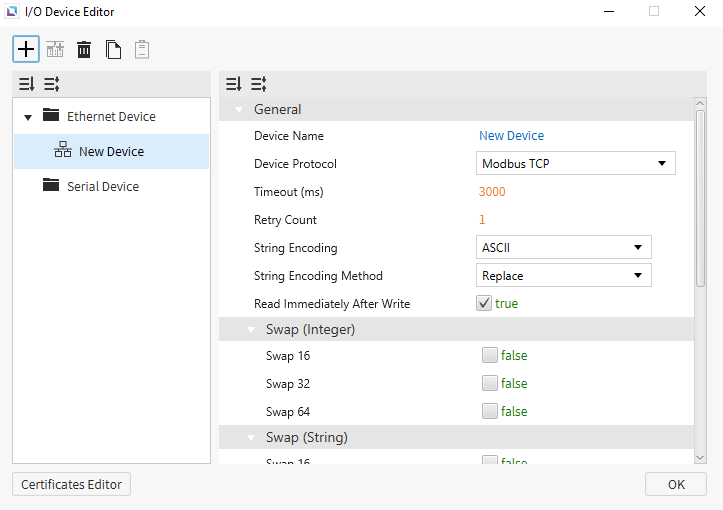
Ethernet devices are used when the connection to another device is via an Ethernet connection. Users must input the IP of the device they are connecting to, the Ethernet Type, and the Port. Depending on the selected protocol, users can also set the PLC Type. Users can also select the String Encoding and the String Encoding Method. Other settings, such as the Timeout time and the Retry Count, can be configured. Users will also be able to change the name of the device and the communication protocol.
Communication Cable Wiring
Ethernet-supported I/O devices will use the following cables:
RJ45
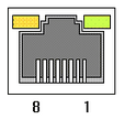
This interface is satisfied with standard IEEE802.3 about the 10BaseT/100BaseTX. You can configure the cable and allocation pin number of RJ45 as shown below.
| RJ45 Connector | RJ45 Jack |
|---|---|
 |  |
Straight-Through Cable (Host ↔ Hub)
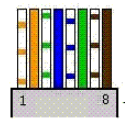
The straight-through cable is used when connecting the Xpanel to the I/O device through an Ethernet hub or switch acting as an intermediary.
| Cable | No. | Color | Color | No. | Cable |
|---|---|---|---|---|---|
 | 1 | Orange/White | Orange/White | 1 | 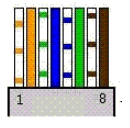 |
| 2 | Orange | Orange | 2 | ||
| 3 | Green/White | Green/White | 3 | ||
| 4 | Blue | Blue | 4 | ||
| 5 | Blue/White | Blue/White | 5 | ||
| 6 | Green | Green | 6 | ||
| 7 | Brown/White | Brown/White | 7 | ||
| 8 | Brown | Brown | 8 |
Crossover Cable (Host ↔ Host)
The crossover cable is used when connecting the Xpanel directly to the I/O device.
| Cable | No. | Color | Color | No. | Cable |
|---|---|---|---|---|---|
| 1 | Orange/White | Green/White | 1 | 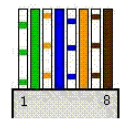 |
| 2 | Orange | Green | 2 | ||
| 3 | Green/White | Orange/White | 3 | ||
| 4 | Blue | Blue | 4 | ||
| 5 | Blue/White | Blue/White | 5 | ||
| 6 | Green | Orange | 6 | ||
| 7 | Brown/White | Brown/White | 7 | ||
| 8 | Brown | Brown | 8 |